Customers
In Mysched, all customer data is securely stored in the database. You can export this data to an Excel file at any time or import new customers from a CSV file.
Adding a New Customer Manually
To add a new customer manually:
-
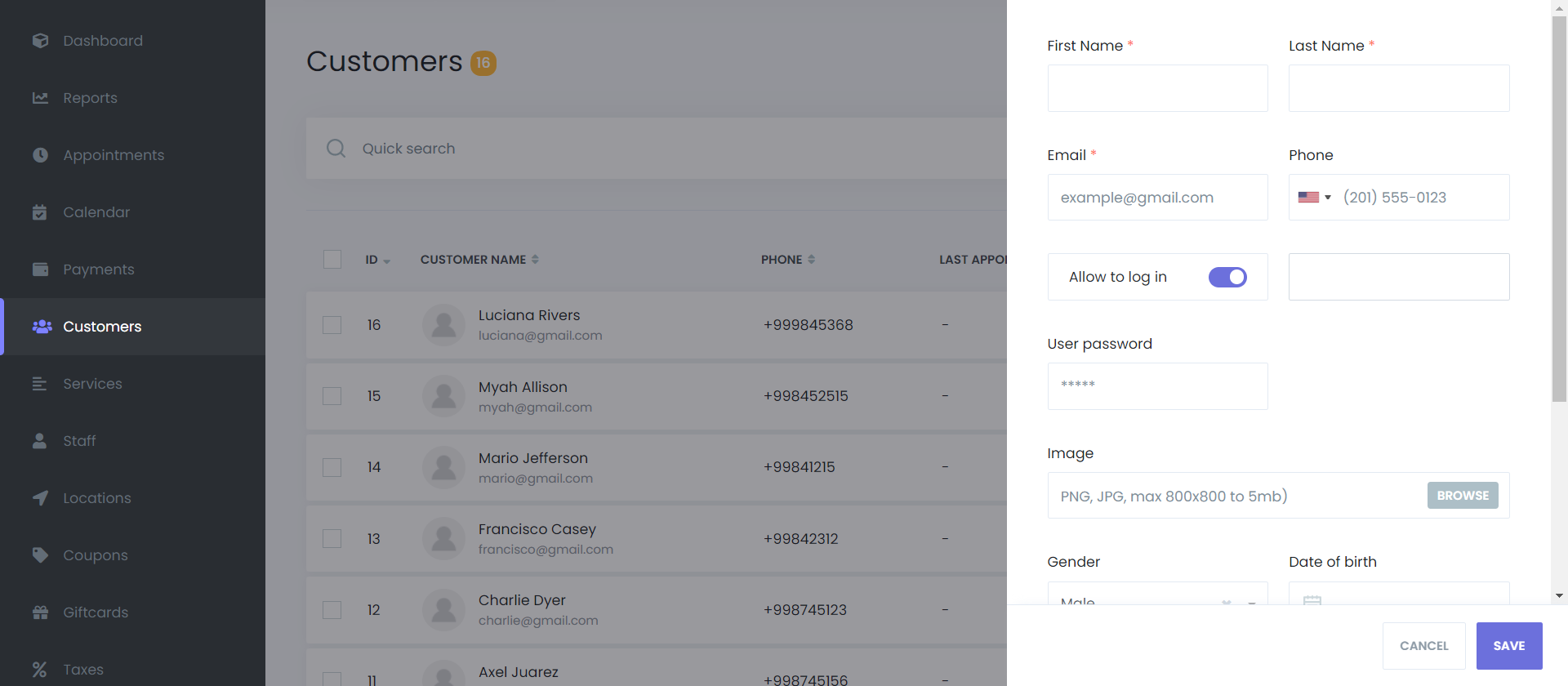
Navigate to the Customers menu and click the ADD NEW button.
-
Enter the customer's first name, last name, email, and phone number.
-
You can also add a profile picture, select their gender, and set their date of birth.
-
Save the new customer by clicking the SAVE button.
Managing Customers
Mysched features a functional and searchable toolbar, allowing you to quickly find customers by their name, surname, phone number, or email. You can sort the list in ascending or descending order by any column.
Account Management Features
- Allow to Login: Enables customers to manage their own appointments through the Customer Panel by creating a user account for them.
- Edit/Delete: Modify customer details or remove customers from your database using the edit and delete options provided for each entry.
- Bulk Actions: Select multiple customers and perform bulk deletions with the delete button at the bottom of the screen.
Customer Registration
A customer profile is automatically created the first time a customer books an appointment through your site. A password is generated, encrypted for security, and sent to the customer via notification. This registration process occurs only once, and the password cannot be retrieved or resent due to its encrypted nature.
Please ensure the front-end Customer Panel is activated for seamless customer interaction. More details about the customer panel and registration process can be found here.