Recurring Appointments
With the Recurring Appointments feature, you can allow your customers to choose multiple days while booking their appointments. Depending on the services you offer, you can provide the option for customers to make appointments for either a single day or multiple days.
For example, if you are a yoga instructor offering weekly sessions, your customers can book appointments for the upcoming weeks all at once, rather than scheduling each session individually. The Recurring Appointments feature can be utilized for any type of service that requires repeated appointments, not just yoga.
You have numerous options for setting the time intervals, allowing you to choose how long appointments will be scheduled or how many times they will be repeated. This eliminates the need to manually schedule each appointment or repeat the booking routine.
Additionally, recurring appointments are automatically saved in your Google Calendar. If the recurring appointments requested by the customer conflict with another booking, the system automatically resolves this issue.
How to Set Up Recurring Appointments
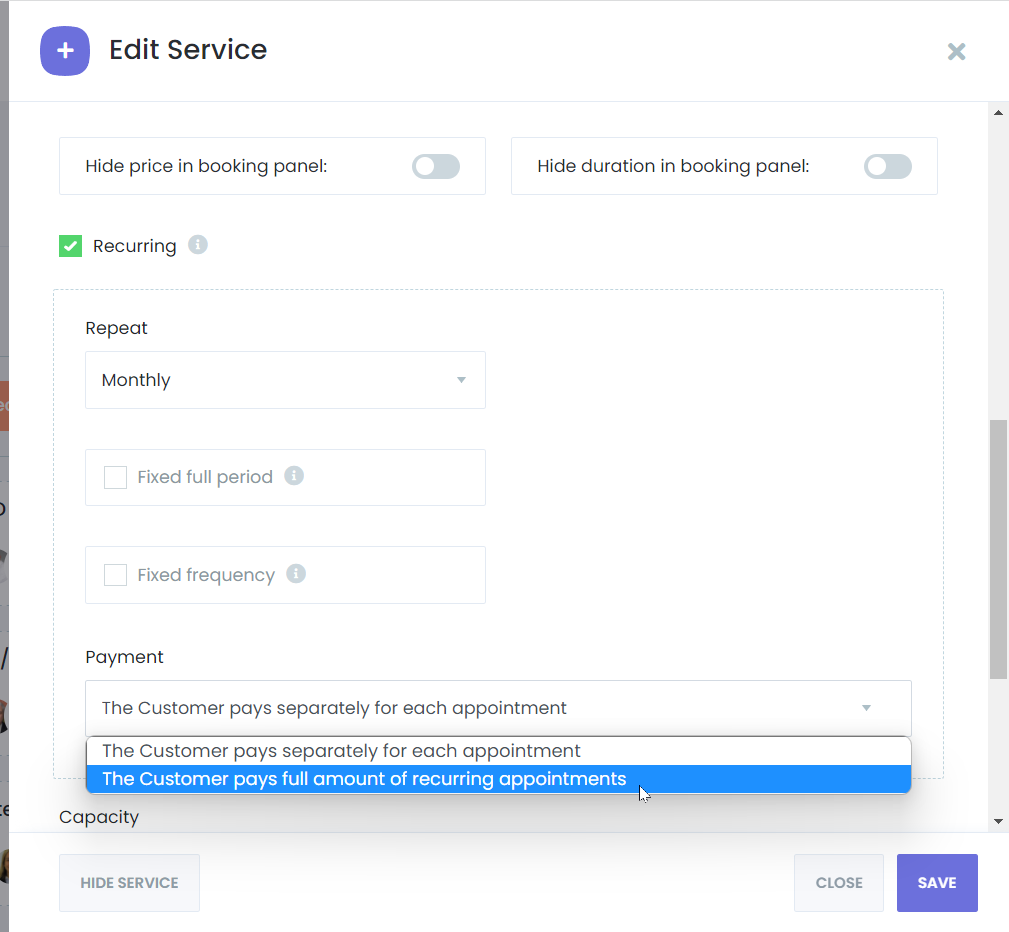
There are three types of recurring appointments: Daily, Weekly, and Monthly. Each type appears differently on the booking panel. You can also set options for a Fixed Full Period and Fixed Frequency for all three types.
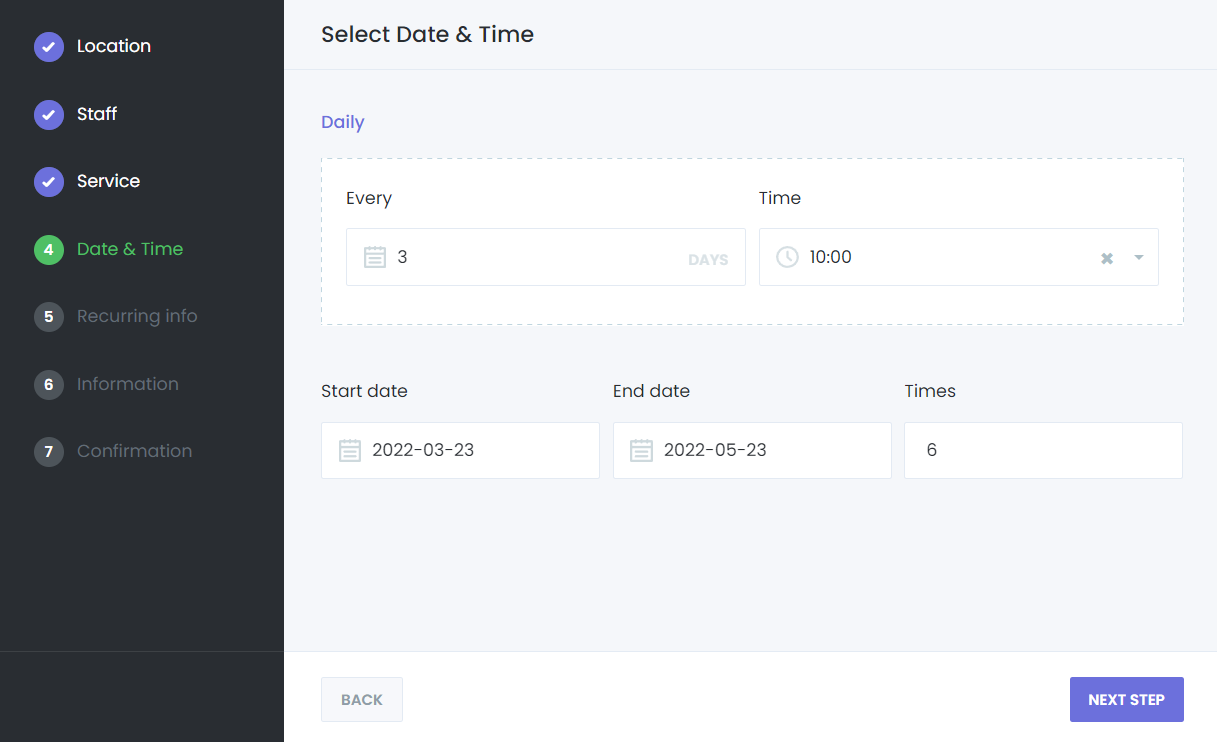
Daily Recurring Appointments
When setting up a daily recurring appointment, you determine how many days the appointments will repeat between the start time and end time.
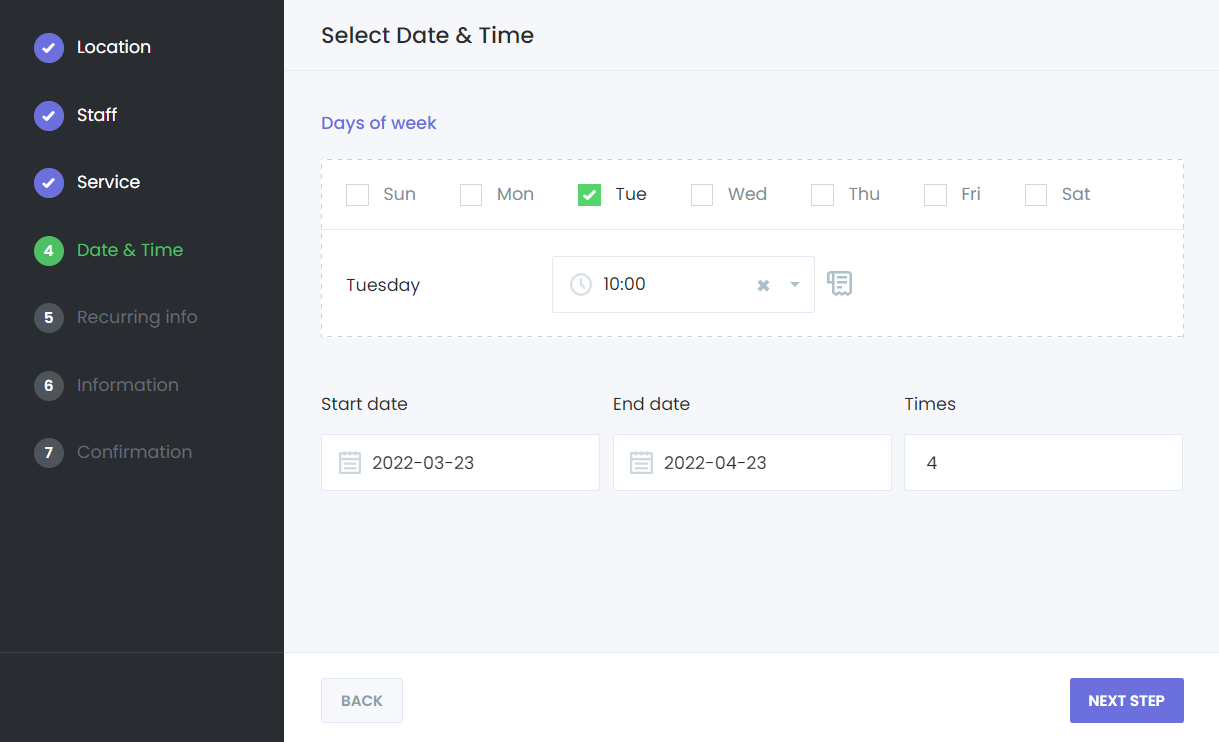
Weekly Recurring Appointments
When setting up a weekly recurring appointment, you select the specific days of the week on which the appointments will repeat between the start time and end time.
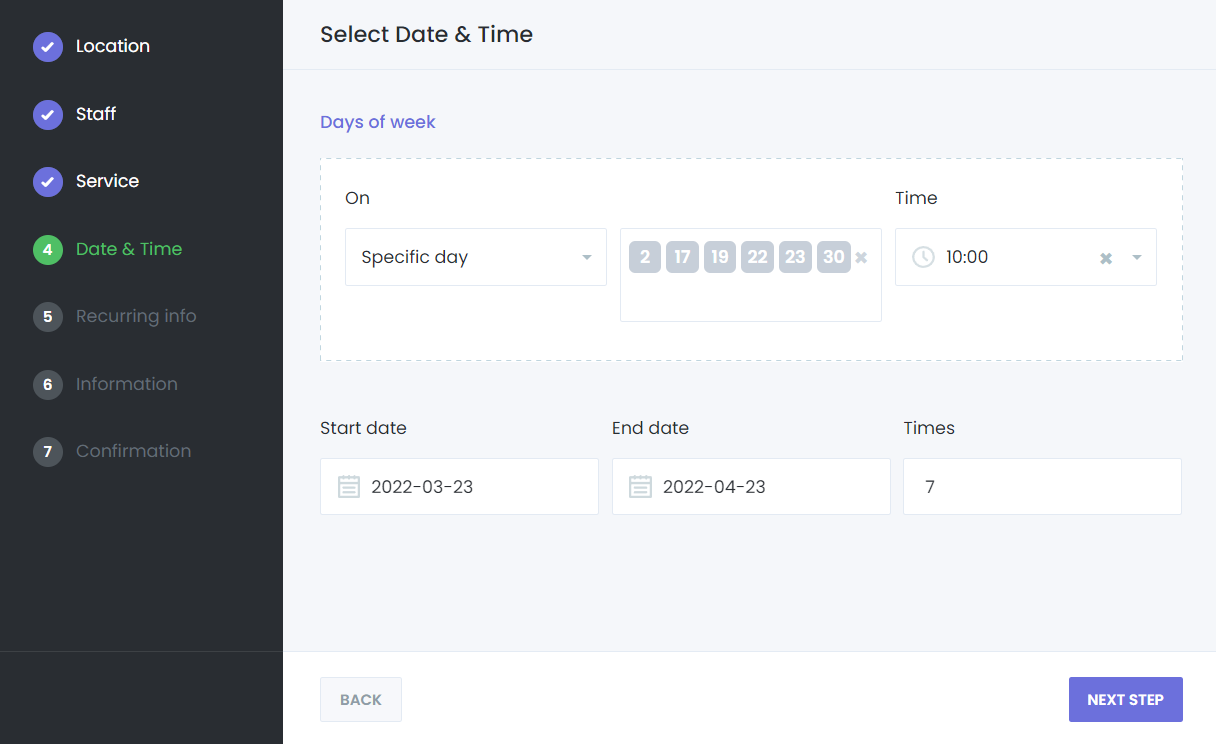
Monthly Recurring Appointments
When setting up monthly recurring appointments, you choose specific days of the month for the appointments to occur between the start and end times. Appointments will only be created for the days you select.
You can also choose whether your customers will pay for all appointments at once or pay for each appointment individually.