Group Appointment
The Mysched Appointment Booking system makes it effortless to set up Group Appointments with the maximum capacity for each timeslot.
Appointments may vary depending on the demands of the service sector and the business process. In some cases, the number of people who can participate in a single appointment may change. While this is sometimes limited to a few, it can also reach very high levels in other cases.
It is important to specify the number of customers attending a group appointment and set limitations, as this allows you to adjust your office accordingly. Additionally, you don't have to manage more customers than your official capacity allows.
Therefore, indicating all limitations in the appointment system, along with the fees associated with these limitations, will benefit both you and your business.
Why are Group Appointments Important for Businesses?
Group appointments—also called Group Visits or Witnessed Appointments—vary widely but tend to have several core elements to ensure that clients receive the service they need at a lower cost.
Experts say such appointments may allow business owners to see more clients, provide more services, and increase revenue if done well. Group visits can be a substitute for or an addition to traditional appointments.
How to Set Up Group Appointments in Booknetic
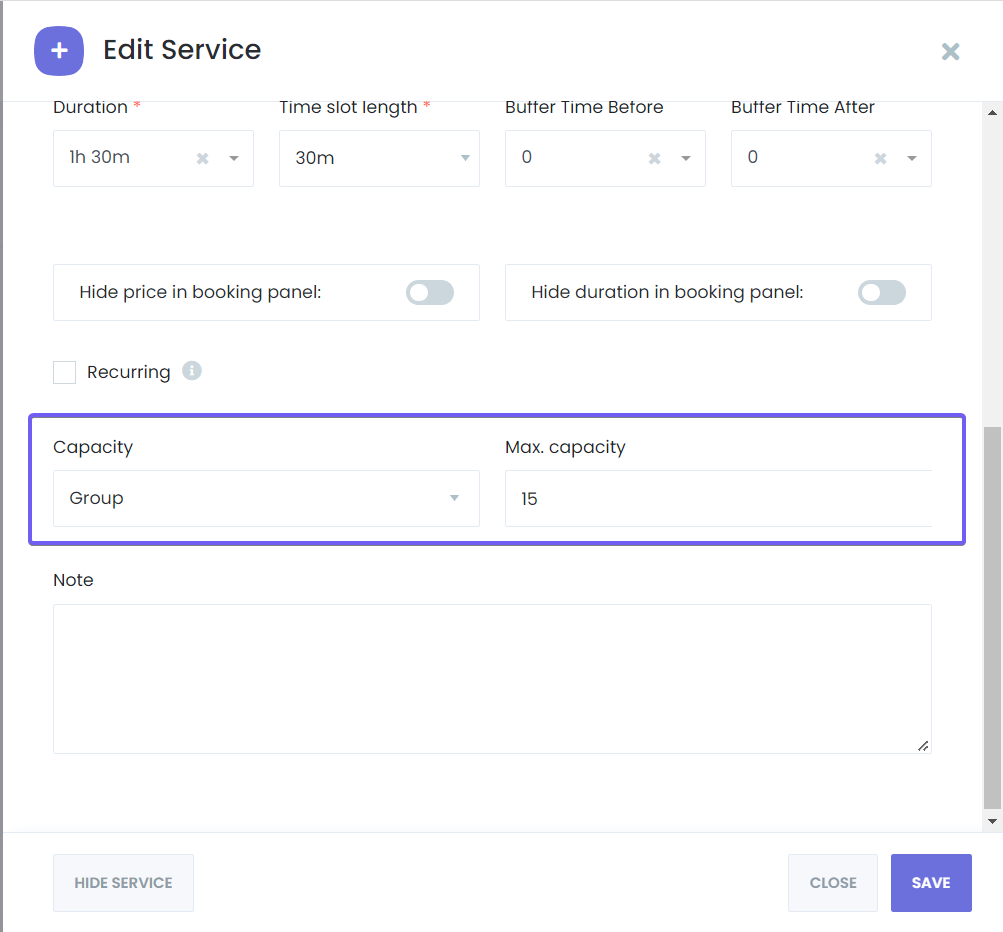
You can configure whether the service you offer will be a group service or limited to only one person by accessing the service settings. You can also set restrictions on the number of attendees for group appointments from this section. After specifying the maximum number of customers allowed for the service appointment, you can start using this feature.
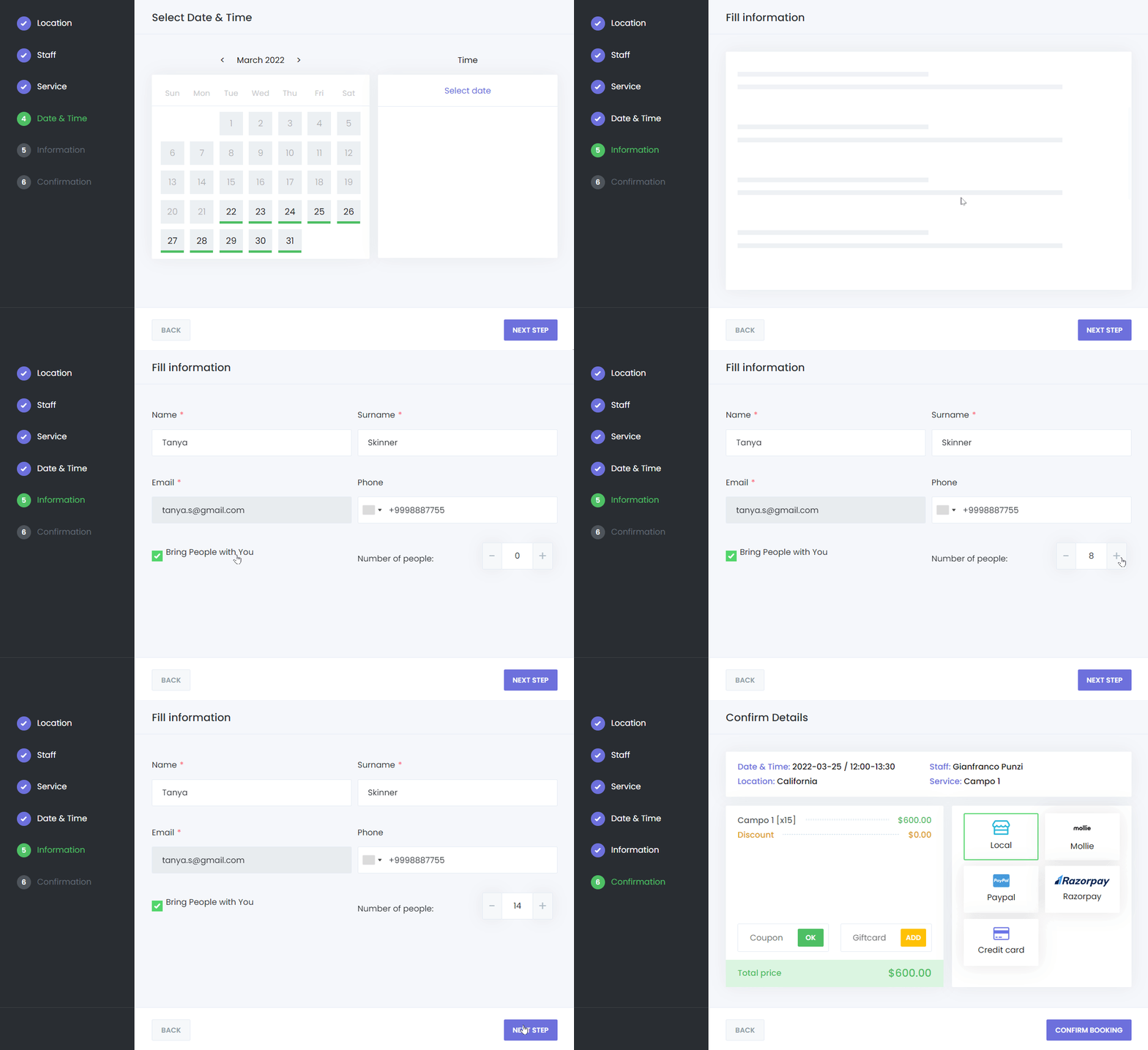
Additionally, your customers can choose how many people they will bring with them when making an appointment. Depending on the service capacity, your customers can bring multiple people and book appointments for everyone in a single session.
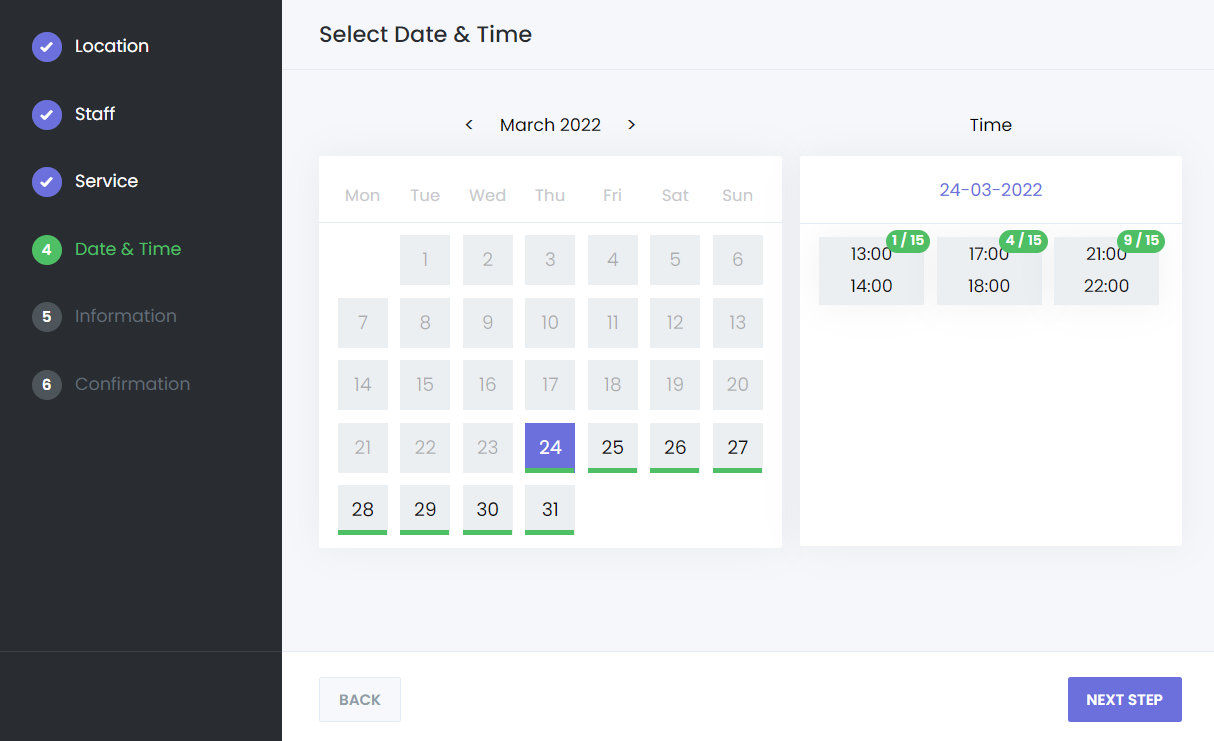
Furthermore, when a timeslot’s capacity is reduced by at least one, a badge will appear on the timeslot, indicating the total capacity and the currently occupied capacity.
We would also like to point out that when you add an event for any timeslot via Google Calendar, if the service is a group service, you can add your customers as attendees through Google Calendar. The customers you add will decrease from the service capacity.