Payment Settings
Managing payments in Mysched is easy and efficient, offering you full control over your payment statuses and transactions. This section will guide you through the payment management process, including how to view, update, and track payments.
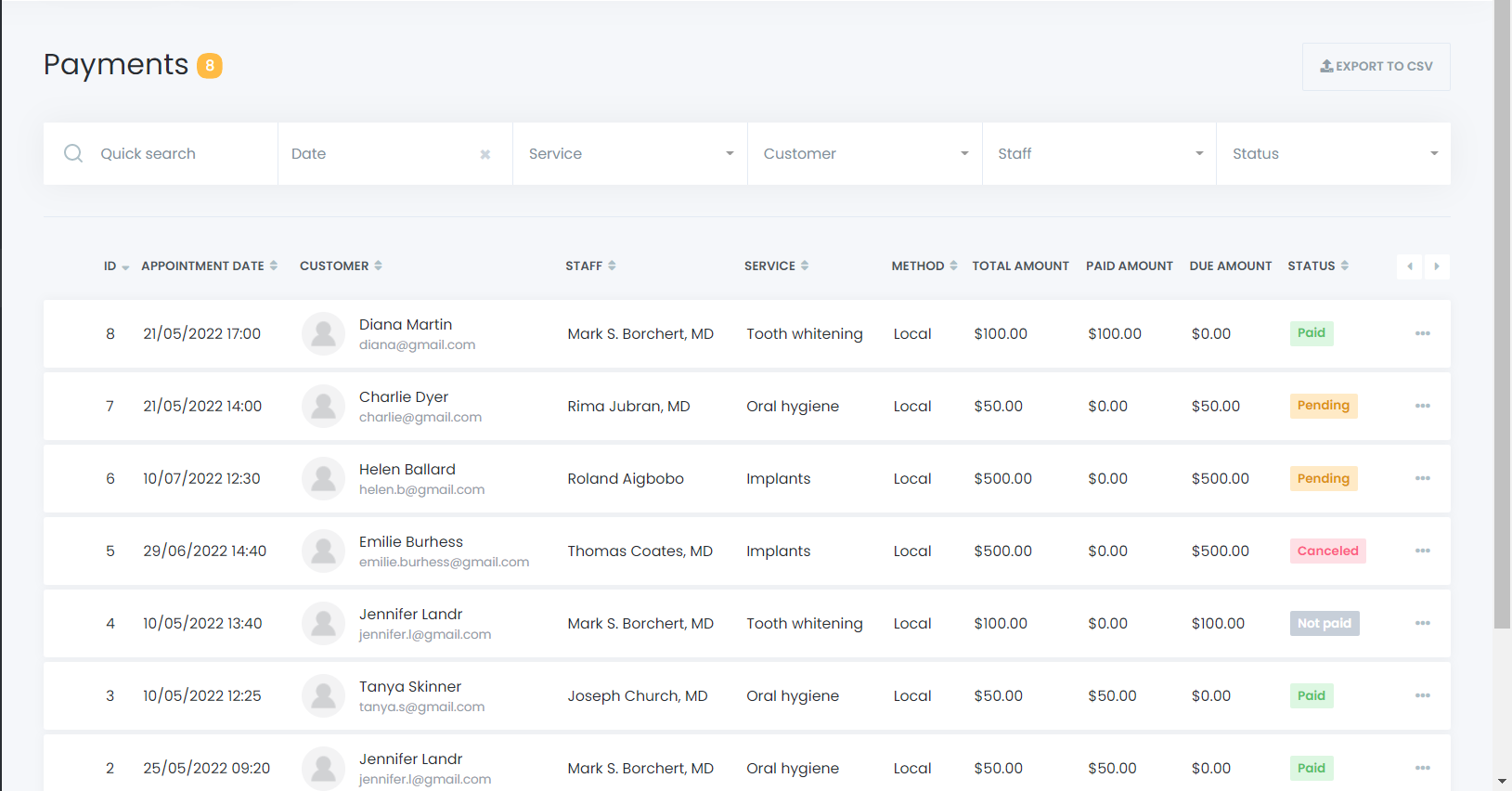
Payment Overview
Here, you will see a complete list of all payments made through the Mysched platform. To assist with finding specific transactions, you can use convenient filters and search options. Additionally, you can sort the list in ascending (ASC) or descending (DESC) order for a more structured view.
Payment Statuses
- Paid: If a customer completes a payment during the booking process, the payment status will be marked as Paid and displayed in green.
- Pending: If the customer selects a local payment option (such as cash), the payment status will be marked as Pending. This indicates that the payment is yet to be received.
Updating Payment Status
If a customer makes a local payment that is not marked as Paid during the booking, you can manually update the payment status. Follow these steps:
- Find the Payment: Locate the payment in the list using the filters or search options.
- Access Payment Info: Click on the three-dot menu at the end of the payment row and select Info.
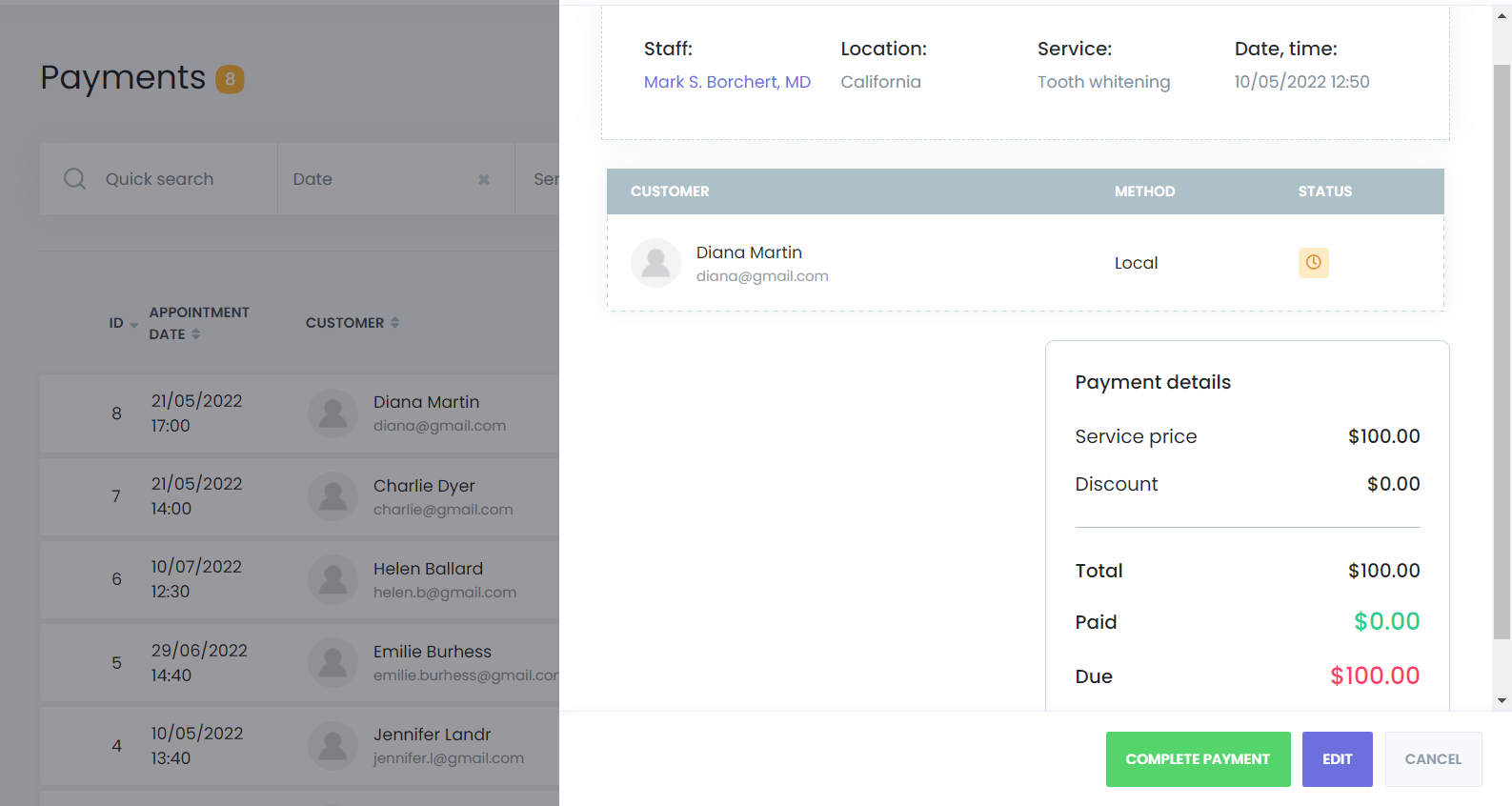
- Edit Payment Status: Once in the payment details, click the Edit button to update the payment status.
Payment Status Options
- Paid: If the full payment has been received, you can mark the status as Paid.
- Pending: If the full amount hasn't been received, you can keep the status as Pending and note the partial amount paid. You can update the status later when the remaining balance is paid.
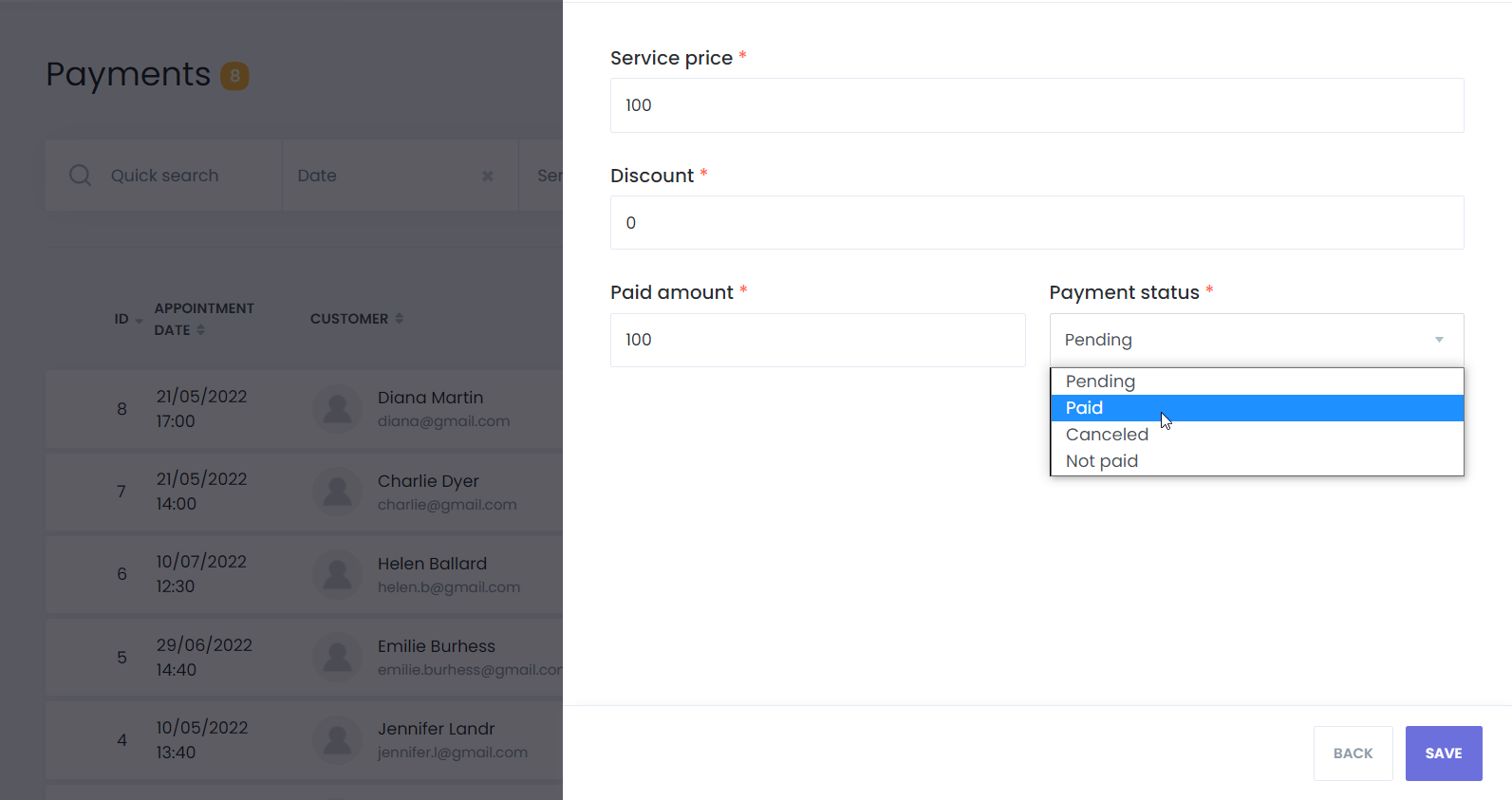
After updating the status, click Save to finalize the changes.
Conclusion
The Payment Settings feature in Mysched offers you complete flexibility and control over managing payments. Whether you're dealing with fully paid transactions or handling partial payments, the platform makes it easy to keep track of payment statuses, ensuring you have accurate and up-to-date records of all customer transactions.
For more detailed support, feel free to contact the Mysched support team.