Visual Translator Module
Overview
The Visual Translator Module in Mysched allows you to easily translate the booking panel into any language your business requires, without the need for third-party addons. This feature is designed to simplify the translation process by allowing you to translate and modify text directly from the interface, providing a more intuitive and efficient method.
Unlike other translation methods, Mysched's Visual Translator ensures that you are always translating the correct text, avoiding confusion that may arise from similar or repeated words.
Key Features
- Instant Visual Translation: Translate any visible text on the booking panel by hovering over it and clicking the pen icon.
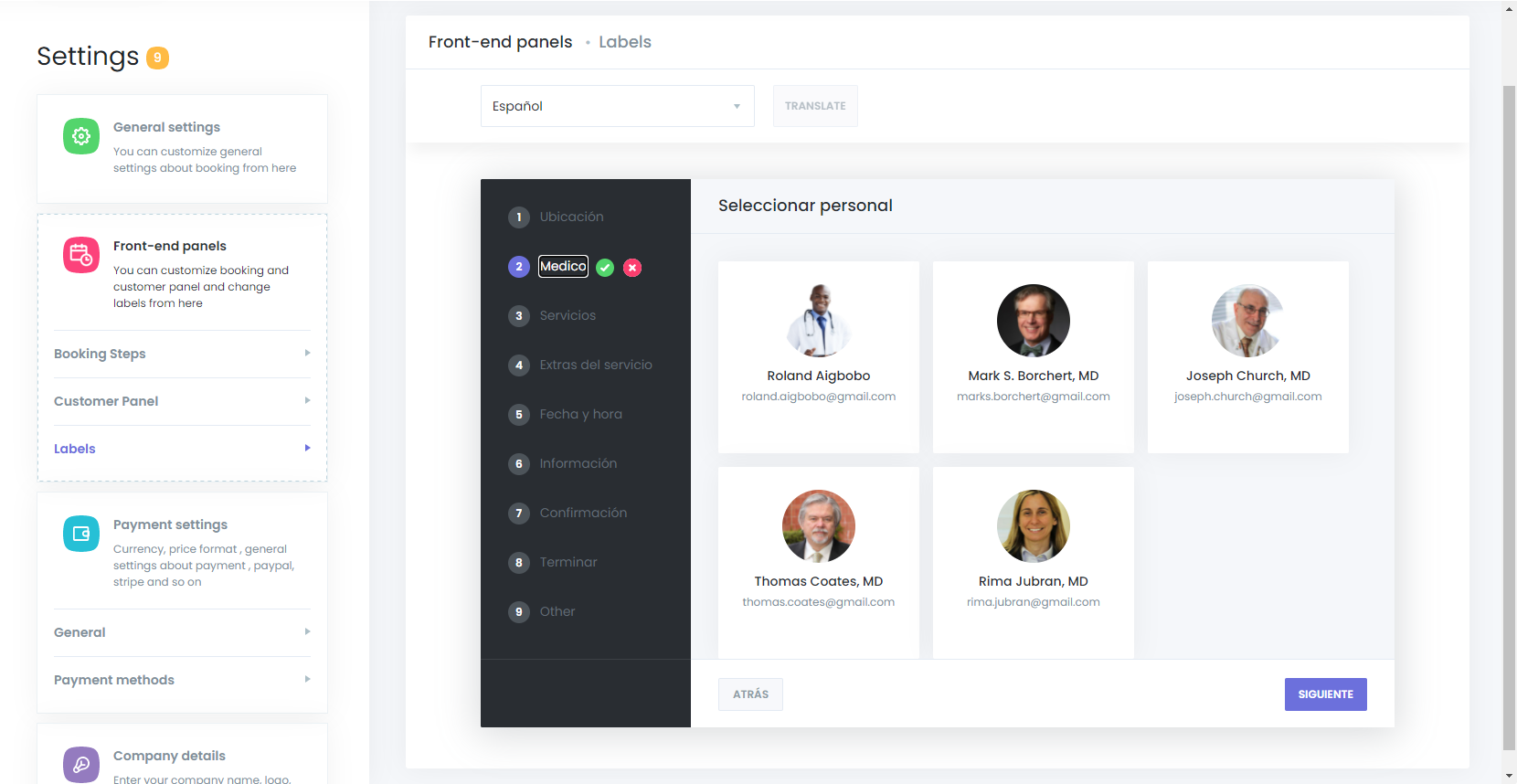
- Custom Text Changes: Change any text, even if you continue using the panel in English. You can rename terms like "Staff" to "Doctor," "Employee," or any term that fits your business.
- No Third-Party Softwares Required: The Visual Translator is built into Mysched, meaning you won't need to install external translation softwares or deal with .mo and .po files.
- Multi-language Support: Use this feature alongside any language switcher plugin to enable multiple languages on your website.
How to Use the Visual Translator Module
Step 1: Accessing the Translator
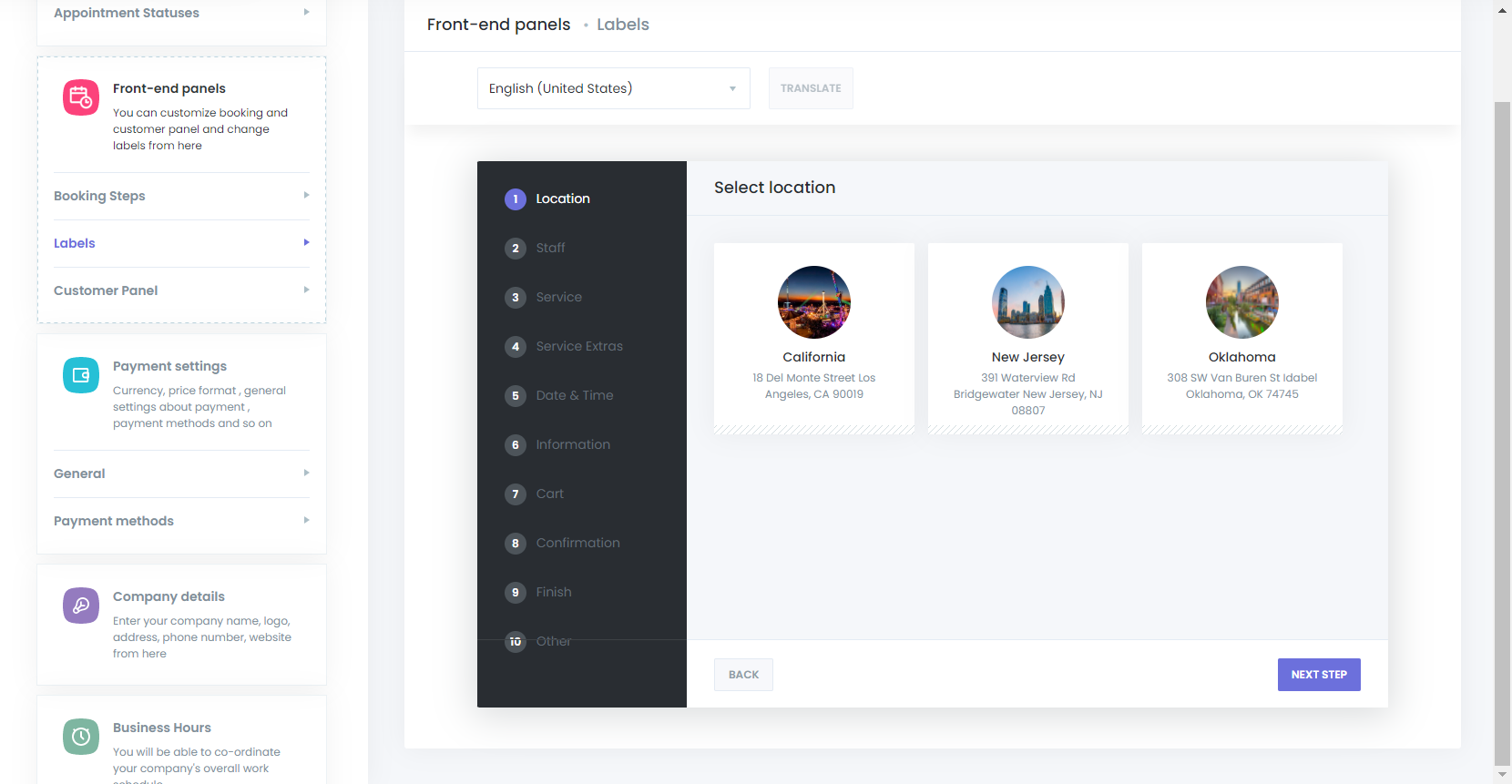
To get started, navigate to the Settings section in the Mysched admin panel. From there, select the Front-end Panels tab and click on Labels.
Step 2: Selecting the Language
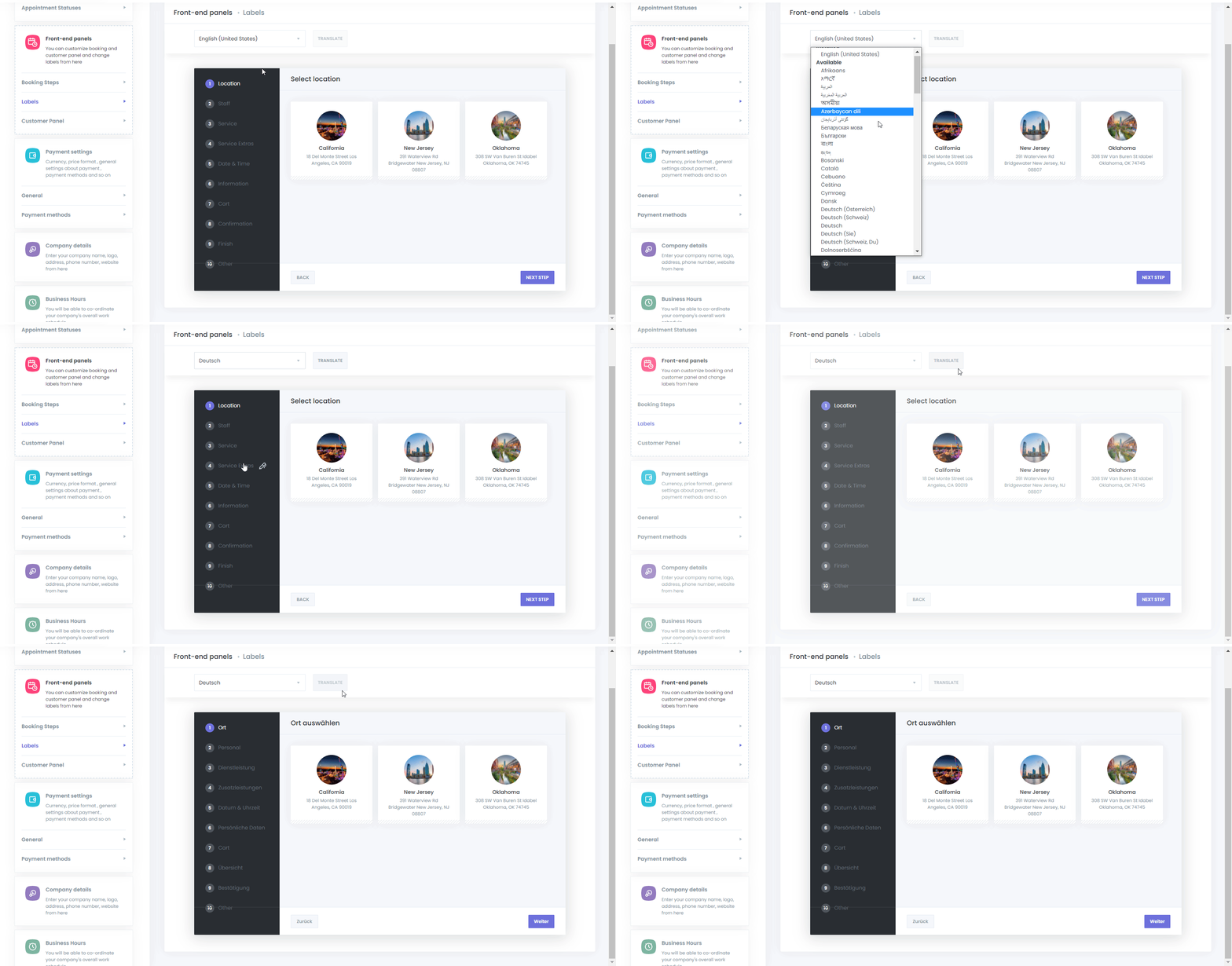
You will see a list of languages available for translation. Choose the language you want to translate the booking panel into and click the Translate button.
Step 3: Translating the Text
Once you have selected your language, the front-end version of the Mysched booking panel will appear. Hover your mouse over any text label you want to translate. A pen icon will appear to the right of the label, indicating that this text is editable. Click the pen icon to begin translating the label.
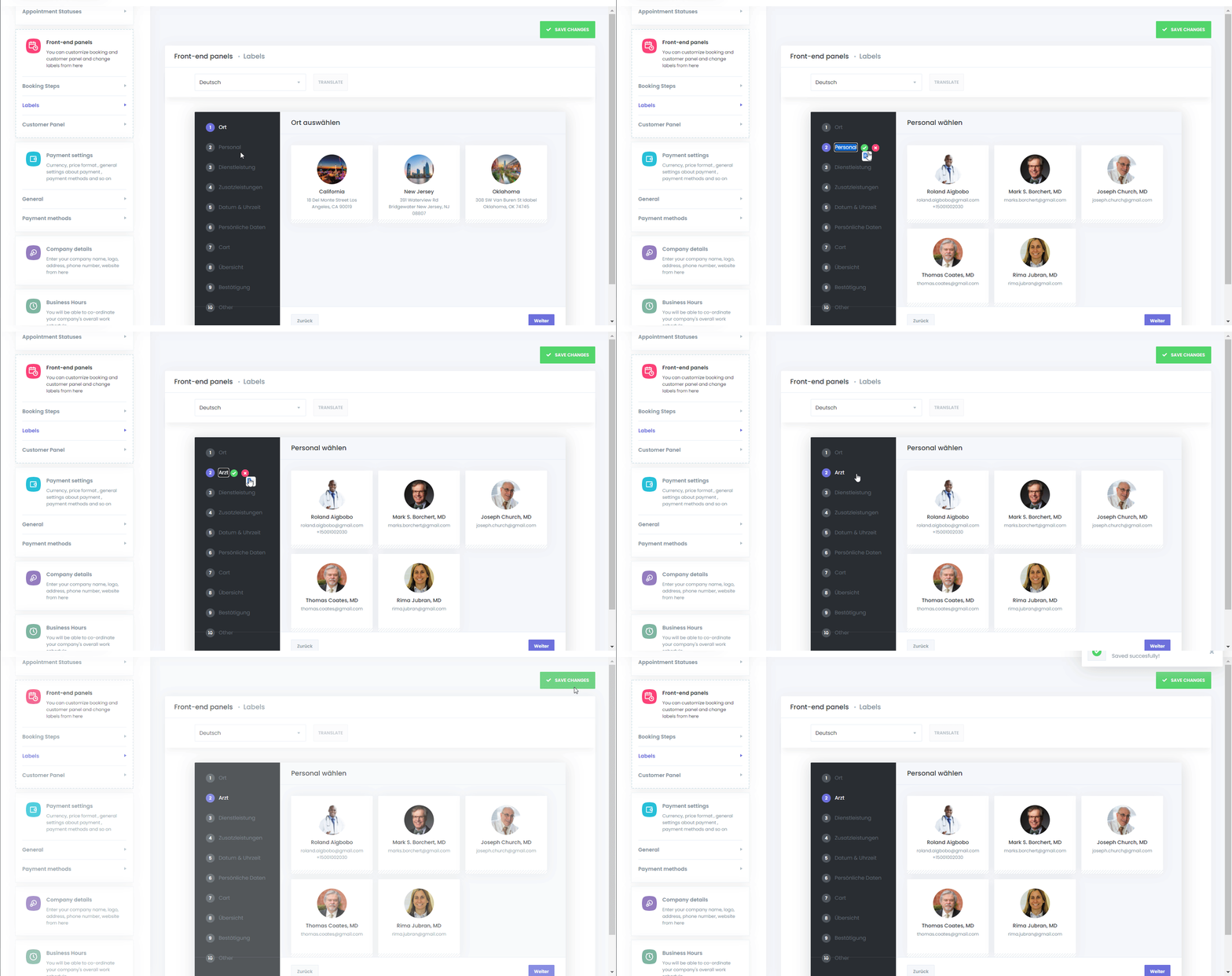
After translating each label, make sure to save your changes. You can translate as many labels as needed across the entire booking panel.
Benefits of Using Visual Translator
-
Ease of Use: The intuitive interface allows you to translate directly on the booking panel without the hassle of searching for terms in .mo or .po files.
-
Customizability: Not only can you translate text, but you can also modify existing terms to suit your business needs. For example, you can change "Staff" to "Therapist" or "Consultant" depending on your industry.
-
No Extra Plugins: Since the translation functionality is integrated into Mysched, there is no need for third-party plugins, which can slow down your site or cause compatibility issues.
-
Real-Time Updates: As you translate, the changes are reflected instantly on the booking panel, providing you with immediate feedback on how the new text looks and functions.
Conclusion
The Visual Translator Module in Mysched is a robust tool that allows for seamless, real-time translation and customization of your booking panel. It is designed to enhance both your and your customers' experience by providing a multilingual interface tailored to the needs of your business. Whether you're offering services in multiple languages or simply need to adjust terminology to fit your brand, the Visual Translator is a powerful feature that simplifies the process.
If you have any questions or need assistance, please reach out to our support team for further guidance.