Staff Commissions
Overview
The Staff Commissions feature in Mysched allows businesses to motivate their staff by setting up performance-based commissions. With this feature, you can easily configure default commissions that apply to all staff members or specific commissions for individual staff. This powerful tool is ideal for businesses in industries such as retail, hospitality, healthcare, beauty and wellness, real estate, and professional services.
By using the Staff Commissions feature, you can boost productivity, drive sales, and streamline the management of employee payments based on their performance.
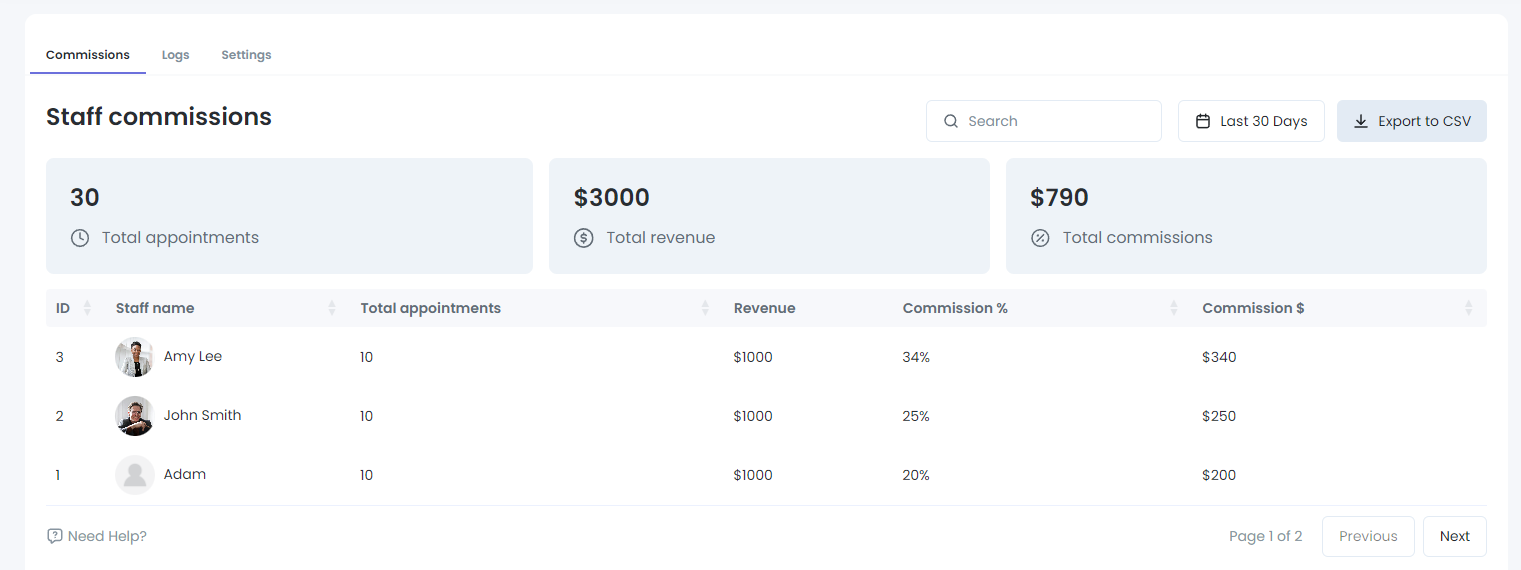
Key Features
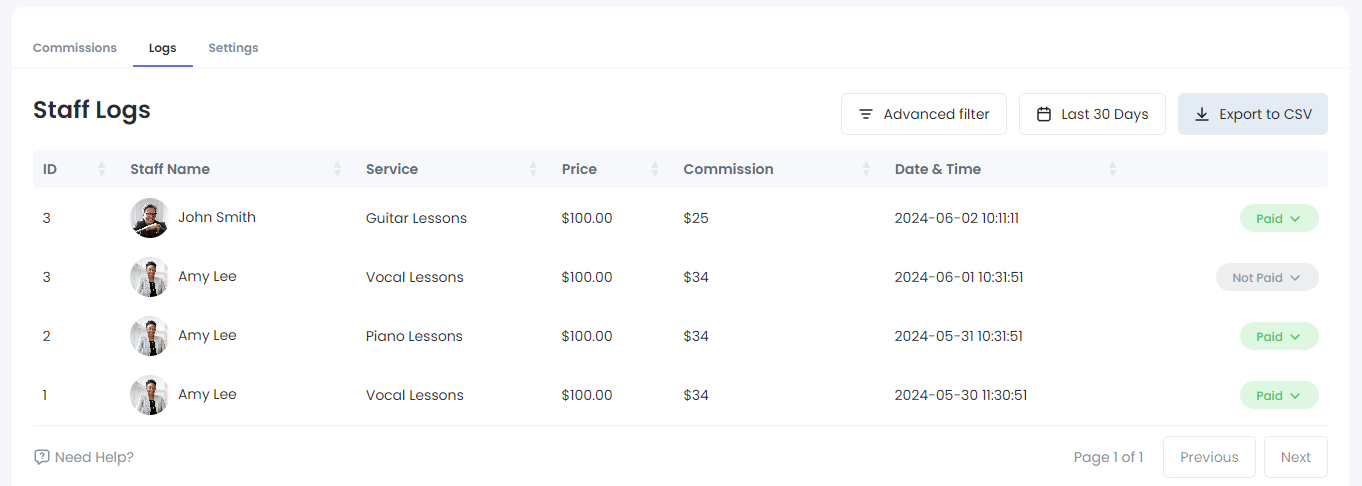
- Default Commission: This applies to all staff members unless a specific commission is set.
- Specific Commission: You can set a custom commission for individual staff members, which overrides the default commission.
- Commission Tracking: Easily track payments and the associated commissions, ensuring that both employees and management have full visibility into earnings.
How to Use the Staff Commissions Feature
1. Setting Up Commissions
To configure staff commissions, follow these steps:
-
Access the Staff Commissions Section:
- Navigate to the Staff Commissions section in the Mysched admin panel.
-
Configure Default Commission:
- In the Settings tab, you can set the Default Commission that applies to all staff members without individual settings.
- Enter the commission percentage or amount that will be applied to all staff members.
-
Set Specific Commissions (Optional):
- If you want to apply a specific commission for an individual staff member, go to the Commissions tab.
- Select the staff member and configure the custom commission. This will override the default commission for that specific staff member.
2. Viewing Staff Commissions
Once you have set up the commissions, you can view a list of all staff members and their corresponding commission rates:
-
Navigate to the Commissions Tab:
- In the Commissions tab, you will see a list of all staff members along with their assigned commission rates. This helps you easily track which staff members have default or specific commissions.
-
Edit or Update Commissions:
- You can update or edit the commission rates for any staff member at any time by selecting their profile in the Commissions tab.
3. Tracking Commission Payments
Mysched allows you to track commission payments in real-time, making it easy to see how much commission each staff member has earned:
-
Check Payment Logs:
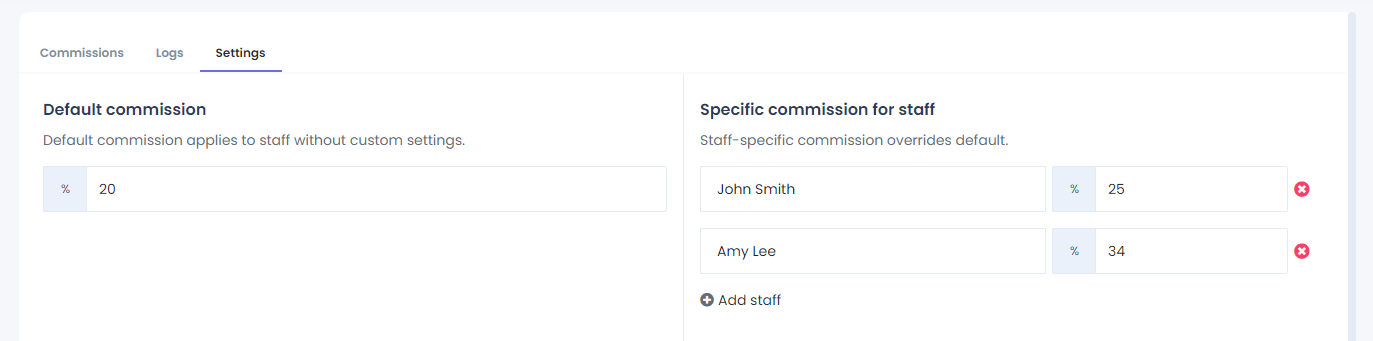
- Navigate to the Logs tab in the Staff Commissions section to view all payments made, along with the calculated commissions for each staff member.
- This ensures that both the management and employees have transparency and accuracy in payments.
Benefits of Using Staff Commissions
By utilizing the Staff Commissions feature, you can achieve several positive outcomes for your business:
-
Motivated Employees:
- Employees will be motivated to improve their performance, knowing that their efforts will be rewarded through commissions. This can lead to increased productivity and higher sales.
-
Accurate Payment Tracking:
- The feature simplifies the process of setting and tracking commissions, ensuring that payments are always accurate and on time.
-
Customizable for Different Roles:
- You can tailor commission rates for different staff members, ensuring that high-performing employees are rewarded appropriately.
-
Improved Business Performance:
- With staff motivated by clear financial incentives, you can expect better overall performance, leading to the growth and success of your business.
Conclusion
The Staff Commissions feature in Mysched provides a simple yet powerful way to manage employee commissions. By setting default and specific commission rates, tracking payments, and motivating staff, this tool can help you optimize your workforce and drive business growth. If you need assistance setting up or managing staff commissions, feel free to reach out to the Mysched support team for guidance.