Reminders
Overview
As a service provider, ensuring that your clients remember their appointments is crucial. Missed appointments can disrupt your schedule, cost time and money, and lead to unproductive days. The Reminders feature in Mysched allows you to notify your customers about upcoming appointments via SMS, Email, and WhatsApp notifications, reducing the chance of missed appointments and improving client communication.
Why Use Reminders?
One of the most common reasons for missed appointments is that clients simply forget the appointment time. Aside from causing inconvenience, missed appointments represent lost opportunities.
Sending a reminder, even as simple as a text message, can reduce missed appointments by up to 90%. Automated reminders help you decrease waiting time, improve appointment retention, and keep your schedule running smoothly.
Key Benefits:
- Decrease No-Shows: Remind clients in advance to reduce missed appointments.
- Improve Communication: Automatically send reminders before and after appointments, allowing clients to reschedule or cancel if necessary.
- Enhance Client Experience: Keep long-term clients engaged and prevent embarrassment caused by missed appointments with gentle reminders.
Setting Up a Reminder in Mysched
Let’s walk through an example where we set up an email reminder 10 minutes before an appointment starts using the Workflow module in Mysched.
Step 1: Create a Workflow
-
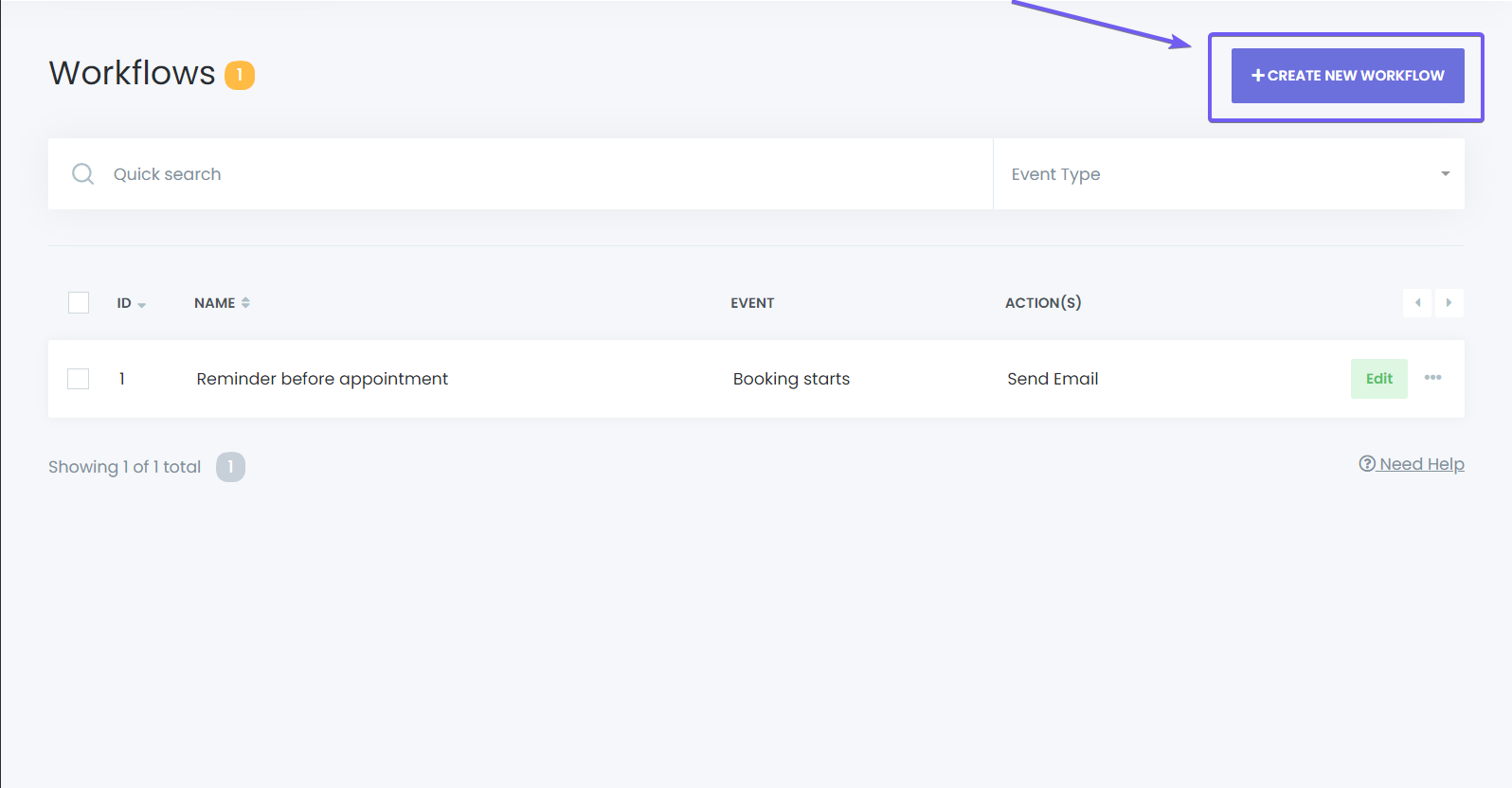
Navigate to Workflows: From the dashboard, go to the Workflows section.
-
Create a New Workflow: Name your workflow, select the trigger as Booking Starts, and choose your desired action (e.g., Send Email, Send SMS, or Send WhatsApp Message).
-
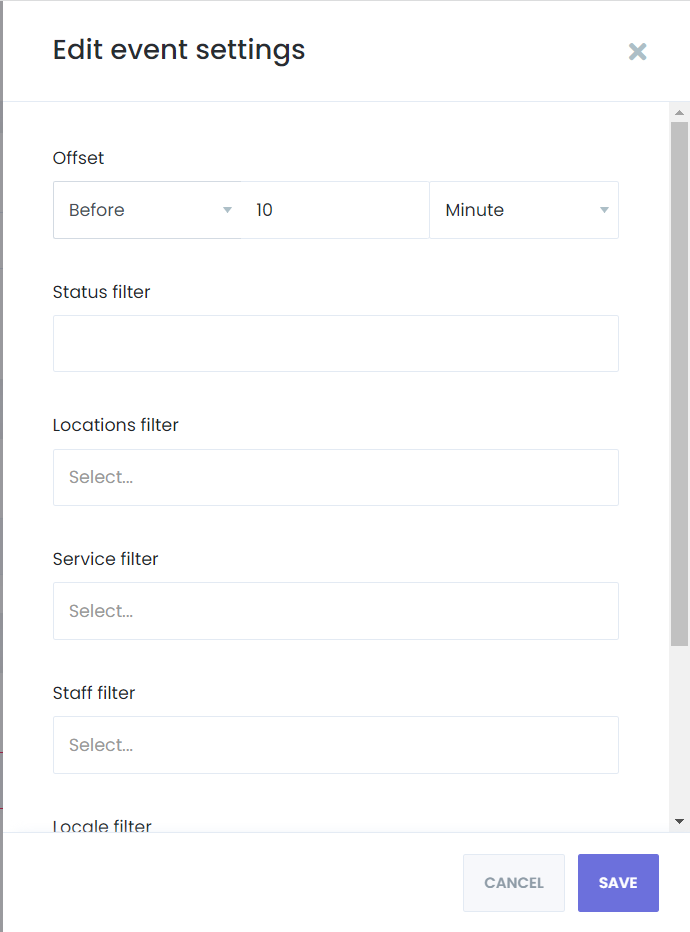
Configure the Trigger: After creating the workflow, edit the Booking Starts trigger. Set your desired options, such as sending a reminder 10 minutes before the appointment starts. You can also choose to send notifications after the booking starts or before/after the appointment ends.
-
Add Filters: Apply filters if you want to send reminders for specific services, staff, or locations only.
-
Save the Workflow: Once the reminder options are set, click Save.
Step 2: Configure the Action
- Choose an Action: For this example, select Send Email. Customize the email subject, body, and other options as needed.
- Test the Action: Click Save & Test to see how your notification will appear before it is sent out for real appointments.
Reminder Capabilities
With Mysched, reminders are not limited to customers. You can also send reminders to staff members, ensuring that both sides are well informed about upcoming appointments. You can set reminders to trigger both before and after an appointment, providing flexibility in how and when notifications are sent.
Cron Jobs and Reminder Functionality
To ensure that reminder notifications are sent at the correct times, Mysched uses Cron Jobs triggered for every minutes. These background tasks are essential for the timely delivery of reminders.
Conclusion
The Reminders feature in Mysched helps reduce missed appointments and improve overall communication with clients. Whether you're sending SMS, Email, or WhatsApp notifications, automated reminders ensure that both customers and staff are kept up to date with their appointments. With customizable workflows, reminder timing, and filters, Mysched offers a flexible solution to keep your schedule running smoothly.