Booking with Packages
1. Overview
Customers can book services using their purchased packages. Here's how the booking process works:
-
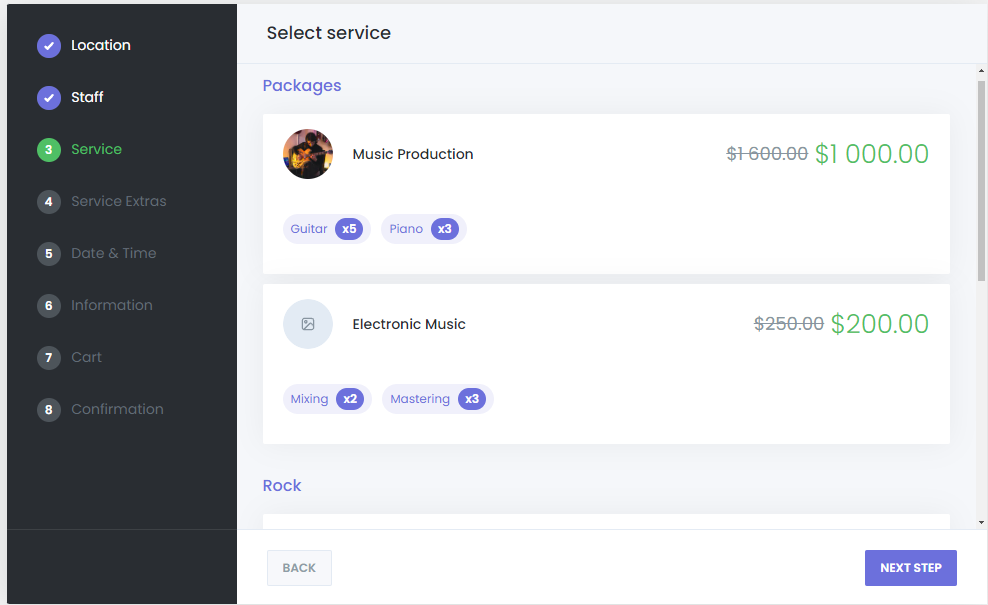
Select a Package: In the booking panel, after selecting the service, customers will see available packages in the Services step.
-
Complete Booking Process: Customers will select the location (if applicable), choose a staff member (if applicable), select the package, and then provide their information before confirming the booking.
Once the booking is confirmed, customers will see a list of available service slots associated with the package. They can then use these slots to schedule their appointments. This list will also be accessible in their Customer Panel for future reference.
2. Managing Packages
Administrators can easily manage created packages. To edit or delete a package:
- Navigate to the Packages Section: Go to the Packages section in the admin dashboard.
- Edit or Delete: Select the package you wish to edit or delete by clicking on the respective option next to the package name.
3. Managing Package Purchases
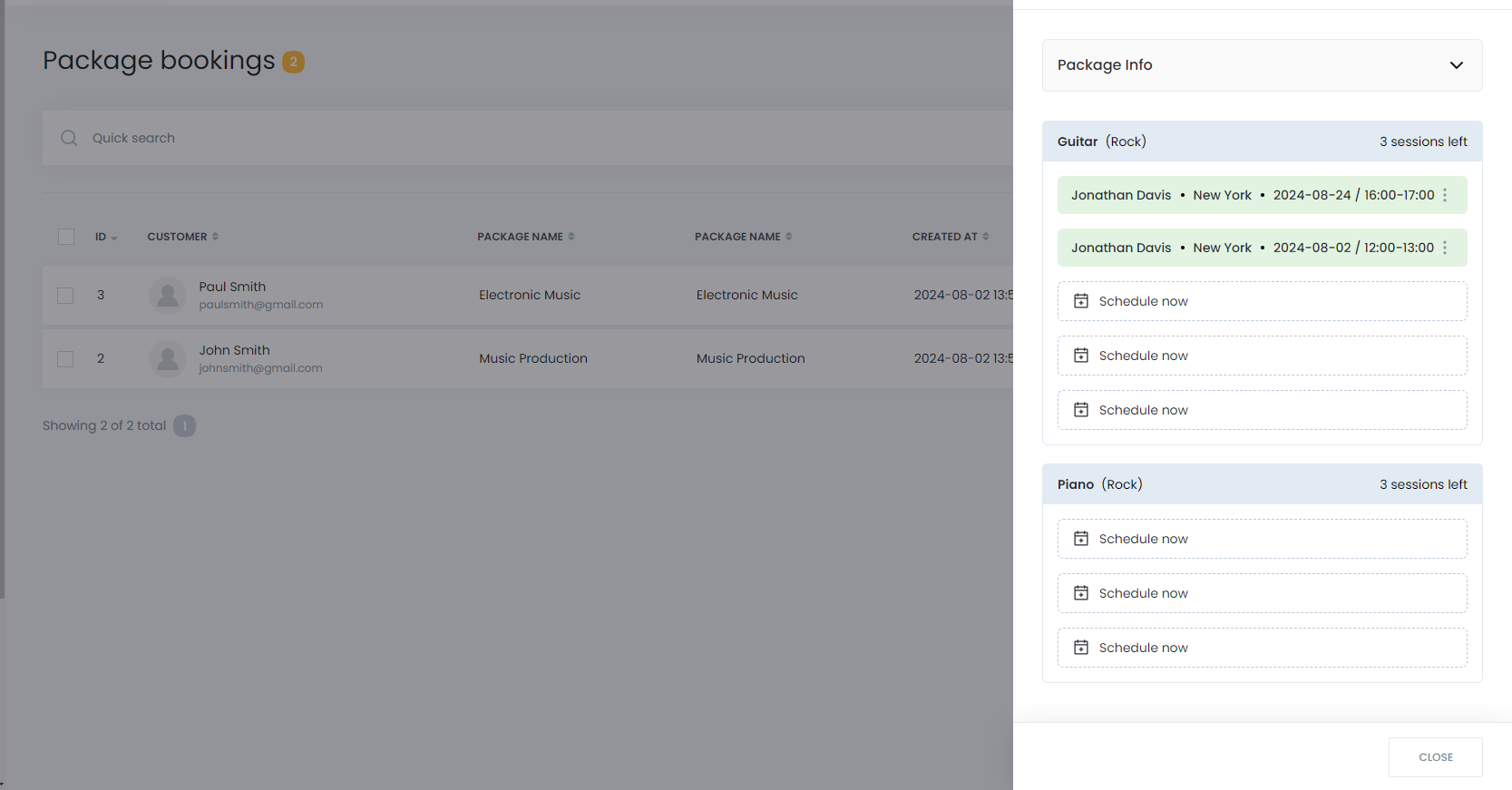
Admins can manage package purchases and monitor which customers have bought specific packages. Additionally, admins can assist in scheduling service appointments using free slots from purchased packages.
-
Navigate to Packages Purchase: Go to the Packages Purchase section in the Mysched admin menu.
-
Use Free Slots: Admins can assign free slots from a customer's purchased package to schedule service appointments manually.
Conclusion
The Packages feature in Mysched provides a streamlined way for businesses to offer bundled services, while giving customers the convenience of purchasing and managing multiple appointments in one go. By creating packages, you can increase customer loyalty, boost sales, and make the booking process even more efficient for your business and your clients.